Comm. Templates overview
Comm. Templates is the library of reusable messages — SMS, email, and notification — that Smart Campaigns send to members. Build a template once, point any number of Rules and Future Campaigns at it, and edit the copy in one place when it changes. Templates are referenced by name; the campaign doesn't carry a copy of the body.
Almost every Smart Campaign that talks to a member — a thank-you SMS after a purchase, a birthday email, a Happy Hour announcement — does so by referencing a saved template here. The campaign owns the when and the who; the template owns the what (subject, body, dynamic fields, sender, formatting).
This page is the map for the Comm. Templates section. For step-by-step authoring, see the per-kind pages: SMS template, Email template, Notification template.
What a template is
A template is a saved, named, kind-typed message body. It lives under Comm. Templates in the left nav and is referenced from the action picker on a Rule or Future Campaign — Send SMS, Send email, Send notification — by template name.
A template owns:
- A name — internal label for the list view; not seen by members.
- A body — the copy itself. SMS is a single text field; email is a visual canvas with content blocks; notification is a short text plus a target surface.
- Dynamic fields — placeholders that resolve per-recipient at send time (member first name, business name, balance, etc.).
- Magic links — optional URLs with member-tracking keys baked in (used for surveys, coupon redemptions, wallet-pass deep links) — plus the ready-made unsubscribe link.
- For email only: a subject line and a sender identity.
The campaign that uses the template doesn't carry any of that — it just holds a pointer. Edit the template and every campaign that references it sends the new version on its next firing.
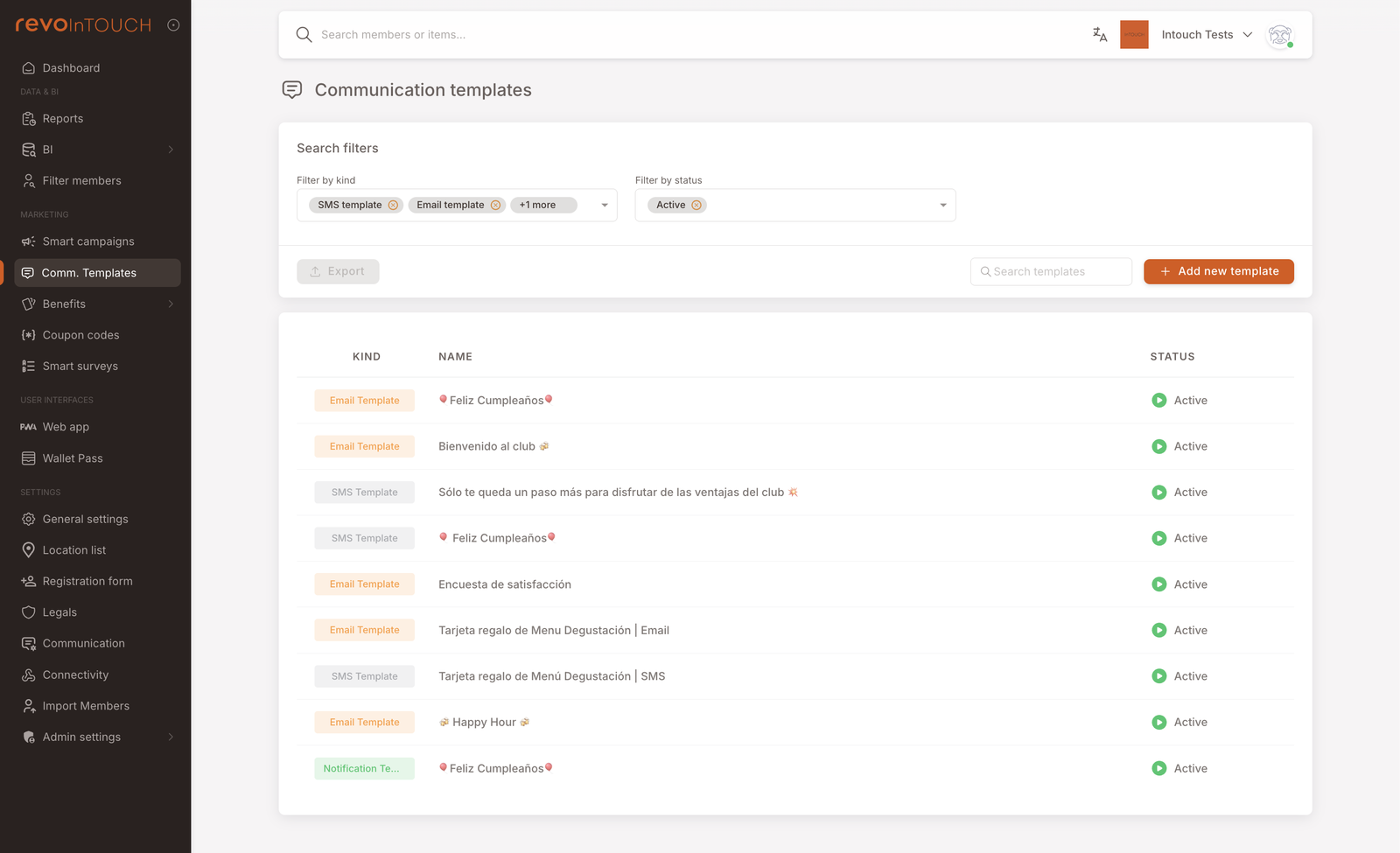
The three kinds
Three template kinds are supported today, each with a distinct editor and a distinct delivery channel:
- SMS template — short text, billed per segment (every 160 characters in the resolved body), delivered via the tenant's SMS provider. The most reliable channel — SMS reaches every member with a phone number on file, and read rates are far higher than email or push. It is also typically the most expensive per message, because each segment is billed by the SMS provider. Bluntest format. See SMS template.
- Email template — a rich email built block by block on a visual canvas (Sections, Titles, Paragraphs, Buttons, Images, and more). Subject and sender identity baked into the template. Email is a paid service — the wizard surfaces a charges note when an email action is added to a campaign. See Email template.
- Notification template — push-style notification delivered to the member's surface (web app, wallet pass, in-app — the exact target depends on what the member has installed). Carries a Title + body + an optional image. Same dynamic-field and emoji support as SMS, plus the image is the differentiating feature. See Notification template.
Why templates instead of a custom message
The actions on Rules and Future Campaigns can take a custom message on the SMS and Notification side (the Send SMS and Send notification actions both expose a Custom fallback), but the recommended path is a saved template. Three reasons:
- Consistency across campaigns. A tenant running a thank-you SMS from five different Rules wants the wording to match across all five. One template referenced five times keeps that automatic.
- Single edit point. A typo, a brand refresh, a regulatory wording change — fix it once in the template and every campaign sending it gets the updated copy on its next firing. With a custom message, you'd be editing five Rules.
- Email has no custom-message option. The Send email action is a template-picker only — there is no Custom message alternative for email, so the template must exist before the campaign can save. (Send SMS and Send notification both support a Custom message as a fallback; Send email does not.)
Lifecycle
Templates have a status that maps to the same three-state lifecycle as Smart Campaigns:
- Active — the template is available to be referenced from any campaign action and used at send time.
- Future — the template is saved but not yet in use. Useful for staging copy ahead of a launch date. Campaigns that reference a Future template won't send until the template is flipped to Active.
- Draft — saved but not yet published. Won't be picked up by any campaign action.
- Paused — temporarily inert. Use this for short-term withdrawals (a copy issue, a regulatory review, a pending revision).
Editing an Active template takes effect on the next campaign firing — prior sends aren't retroactively rewritten, but anything that fires after you save runs against the new copy.
Magic links
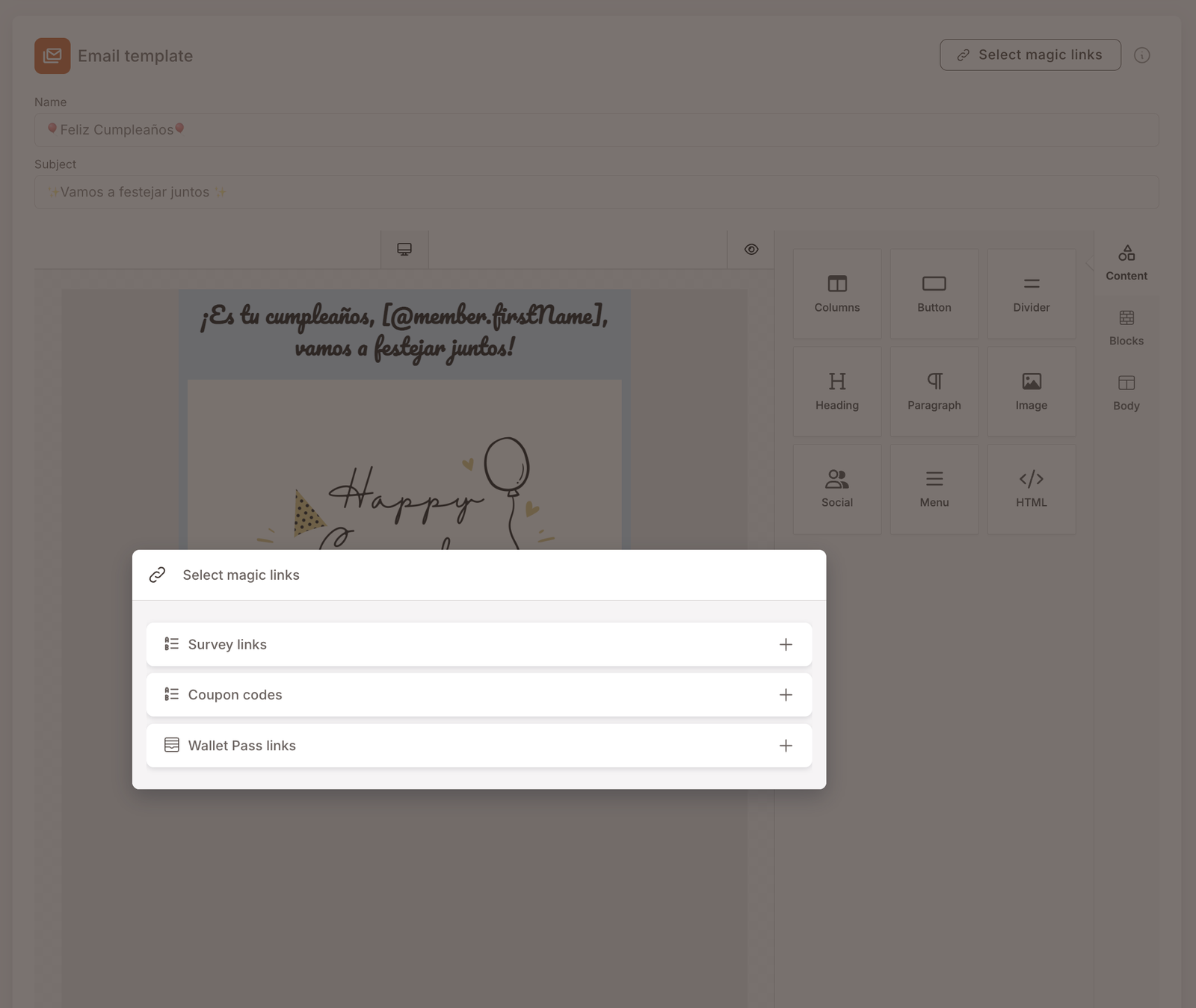
The SMS and email editors expose a Select magic links button (top right). A magic link is a URL with a per-member tracking key embedded — useful for surveys (knowing which member submitted), coupon redemptions (tying a redemption back to the campaign that sent the coupon), and wallet-pass deep links (opening a specific gift directly).
Clicking Select magic links opens a picker with four sections:
- Survey links — links to a Smart Survey configured under the Smart surveys section. Picking a survey generates a URL of the form
https://survey.fidelizacion.app/?survey=<survey-id>&membershipKey=[member.membershipKey]. The[member.membershipKey]token is resolved per-recipient at send time. - Coupon codes — links that resolve to coupon-redemption pages tied to a campaign.
- Wallet Pass links — deep links into the member's wallet pass (e.g. opening a specific Gift directly).
- Unsubscribe link — the ready-made opt-out URL. Expand the section, copy the link with the icon, then select the wording you want members to click (Unsubscribe, or whatever fits your footer), add a link to it, and paste. You don't need to know the tag behind it (
[@emailUnsubscribeLink]) — copying from here is enough. Where the link lands is configured tenant-side under Settings → Communication.
![Same picker with Survey links expanded. Shows a dropdown to select the survey ("¿Cómo fue tu visita en Revolution Coffee?"), an icon to copy the URL, and a sample URL preview: https://survey.fidelizacion.app/?survey=66a74dc9be82f71348ae74d8&membershipKey=[member.membershipKey].](/assets/images/magic-links-picker-survey-expanded-4961263845c4860df4e1e8cb918b1ad3.png)
![The same picker with the Unsubscribe link section expanded. It reads "Click the icon to copy the unsubscribe link" above an "Unsubscribe link" field showing the value [@emailUnsubscribeLink] with a copy icon.](/assets/images/magic-links-picker-unsubscribe-4db068cb439574178f98a66f086831aa.png)
Pick the entry you want, copy the URL via the icon next to the dropdown, and paste it into the body where you want the link to land. At send time the membershipKey token resolves per-recipient and you can attribute clicks back to the specific member.
The Notification template editor does not expose this picker — magic-link-driven CTAs are an SMS/email feature in this product.
Cross-references from Smart Campaigns
Comm. Templates is the surface that the following Smart Campaigns playbooks already depend on:
- Cash Back (Credit Accumulation) — references a thank-you SMS template.
- Birthday Gift — references both a Gift asset (under Benefits) and an SMS template.
- Announce Happy Hour — references a Happy Hour email template.
Each of those playbooks tells the reader "the template you want to send already exists" as a prerequisite. This section is where they go to make it exist.