Summarize with AI
Sales
In short
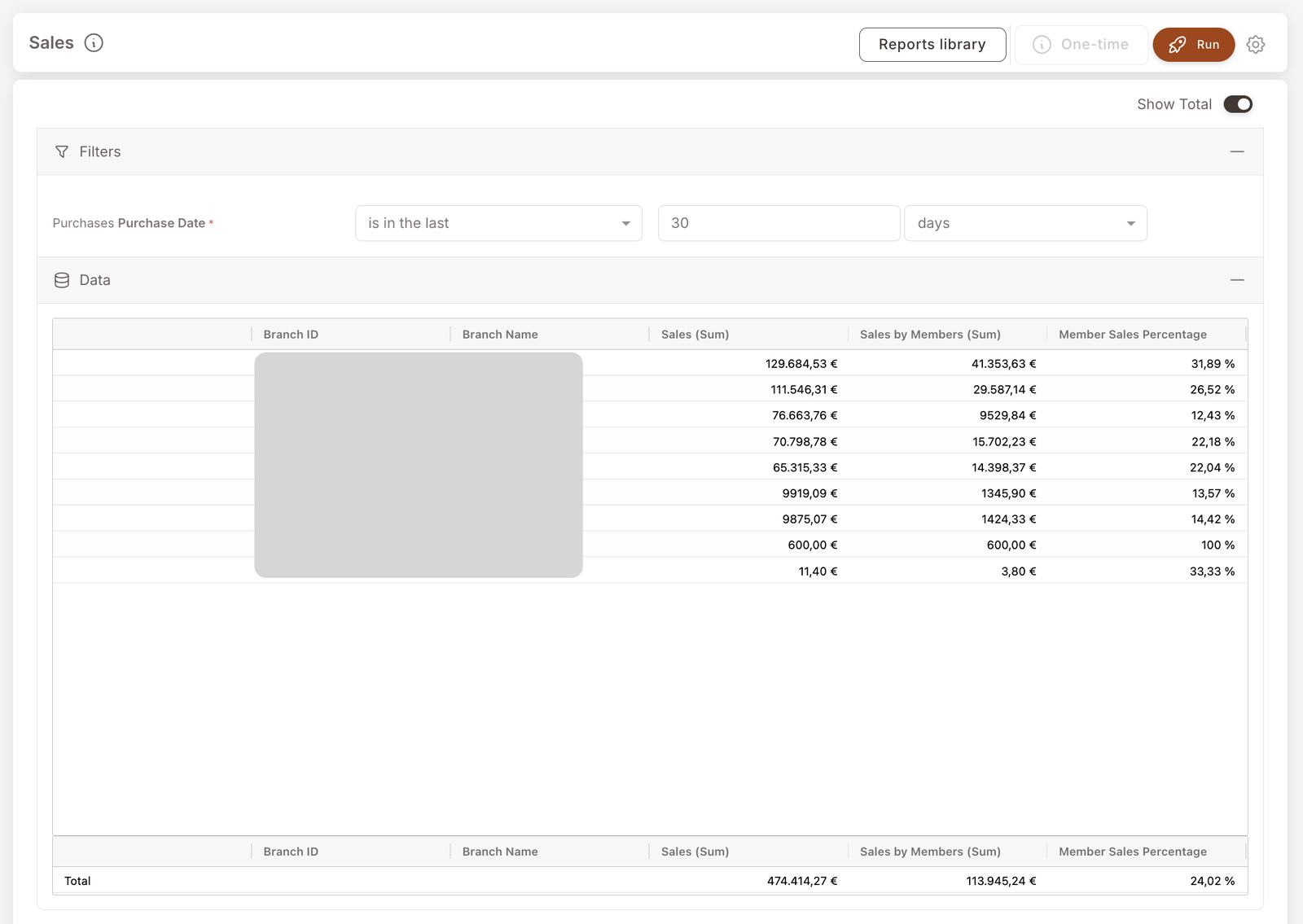
Branch-level revenue with member share. For each branch, you'll see total sales, member-attributed sales, and the percentage of sales going through identified members. The "is the loyalty program contributing meaningfully at this location?" answer.
The Sales report is the operational detail behind the Sales card on the Dashboard. Same idea — total sales split between member and non-member — but here you see it broken down by branch, which lets you spot the locations where loyalty is over- or under-performing.
What you'll see
Required filters:
- Purchase Date — date range (typically is in the last 30 days).
Data columns (per branch):
- Branch ID / Branch Name — the branch.
- Sales (Sum) — total sales (all checks) at this branch in the period.
- Sales by Members (Sum) — sales attributed to identified members only.
- Member Sales Percentage — the member share (Sales by Members / Sales).
A Show Total toggle in the top-right adds a Total row that sums across all branches.
When to reach for this report
4 common use cases
- Branch comparison. Which branches have the highest member share? Which have the lowest? Low member share at a branch usually means cashiers aren't identifying members at the till — see How members and non-members are tracked.
- Period-over-period sales tracking. Run for last month, then run for the prior month with the same filter shape, compare side by side. Useful for spotting trends before they show up in higher-level dashboards.
- Loyalty ROI conversation. Member Sales Percentage is the headline number that grounds "is the loyalty program contributing to revenue?" Combined with Discounts, you can frame it as "members drove X in revenue minus Y in discounts = Z net contribution".
- Cashier coaching baseline. A branch with 8% member share when its peers are at 25%+ is almost always an identification-flow problem at the till. This report flags those locations.
What to do with the result
Follow-on actions
- Identification-flow check. For a branch with conspicuously low member share, sit with the POS support team or a manager to see how the cashier-side identification works. Often there's a one-button improvement available.
- Pair with Visits. Cross-reference with the Visits report to separate "member share is low because few transactions involve members" from "member share is low because member baskets are smaller than non-member baskets" (the second is rarer and more interesting).
Related reports
- Visits — same shape but counting transactions, not revenue.
- Discounts — the cost side; pair with Sales for ROI.
- Member purchases — drill in to see the actual transactions behind these aggregates.