Points
Branch-level breakdown of member points — what's been received, used, and what's still outstanding in a chosen period. The Points-currency analogue of the Credits report. Use it for liability sizing, branch comparisons, and post-campaign impact checks for any Rule that grants points.
The Points report mirrors the Credits report's shape — same per-branch view, same Received / Used / Balance triplet — but tracks the Points currency rather than the Credits currency. Most loyalty programs use one or the other (Credits = cash-equivalent, redeemable like money; Points = scoring system, often redeemable against a rewards catalog), but some run both side-by-side.
What you'll see
Required filters:
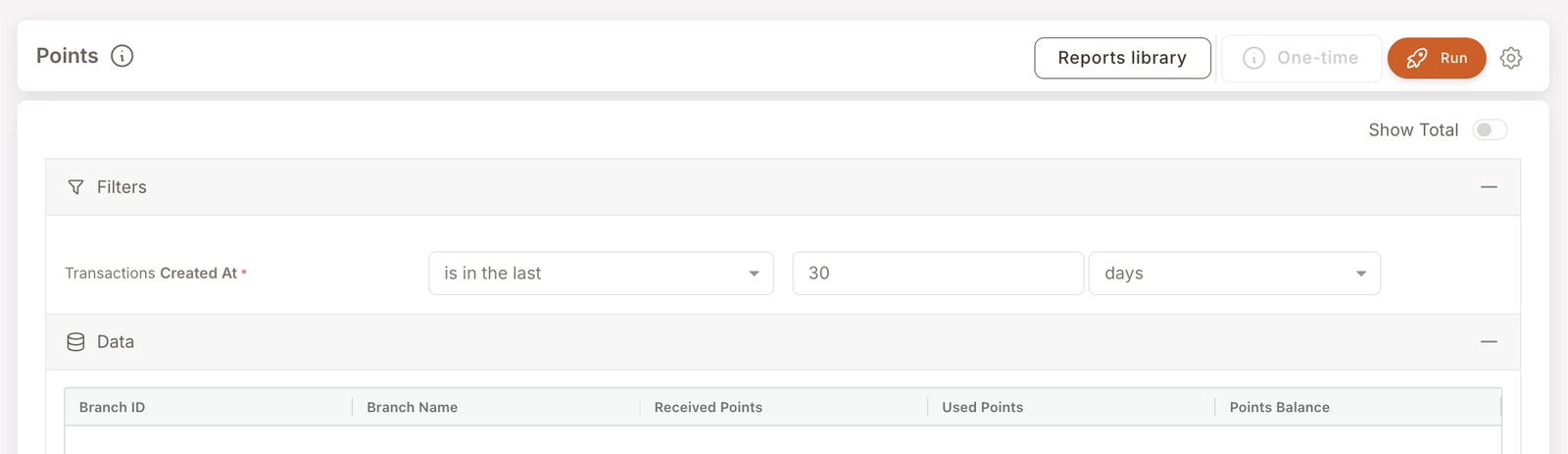
- Transactions Created At — date range (typically is in the last 30 days).
Data columns (per branch):
- Branch ID / Branch Name — the branch the points activity is attributed to.
- Received Points — total points value granted to members at this branch in the period.
- Used Points — total points value spent / redeemed by members at this branch in the period. (Note the terminology: this report says Used where the Credits report says Redeemed — same idea.)
- Points Balance — running balance (Received − Used) for the period at this branch.
A Show Total toggle in the top-right adds a Total row across all branches.
When to reach for this report
4 common use cases
- Quarter-end liability sizing. If your program issues points for redemption (against rewards, tier qualifications, etc.), the outstanding points balance is a real liability — total Points Balance across branches gives the float.
- Campaign-impact check. After launching a Rule that grants points, this report shows the granted volume — Received Points should reflect the campaign's grant.
- Branch comparison. Branches with high Received but low Used are members earning points but not redeeming them. Could be a redemption-mechanism awareness problem (members don't know what points buy them), a redemption-friction problem (the redemption process is too clunky), or a branch that's actively avoiding letting members redeem points at the till.
- Currency-strategy review. If the Points report is consistently empty (as in the screenshot) and the Credits report is busy, the program is effectively single-currency on Credits — worth a deliberate decision rather than a default.
What to do with the result
Follow-on actions
- Re-engagement campaign for high-balance, low-redemption members. Use Filter members to find members with a points balance above a threshold and no recent redemption. A "did you know you can redeem N points?" SMS often works.
- Audit a specific member's points balance. Jump to the Member profile and read the activity timeline.
- Tune the Rule that grants points. If volume is too high (over-rewarding) or too low (under-rewarding), edit the upstream Rule via Smart Campaigns — typically Add points with a percent-of-spent or fixed-amount config.