Summarize with AI
Punch count
In short
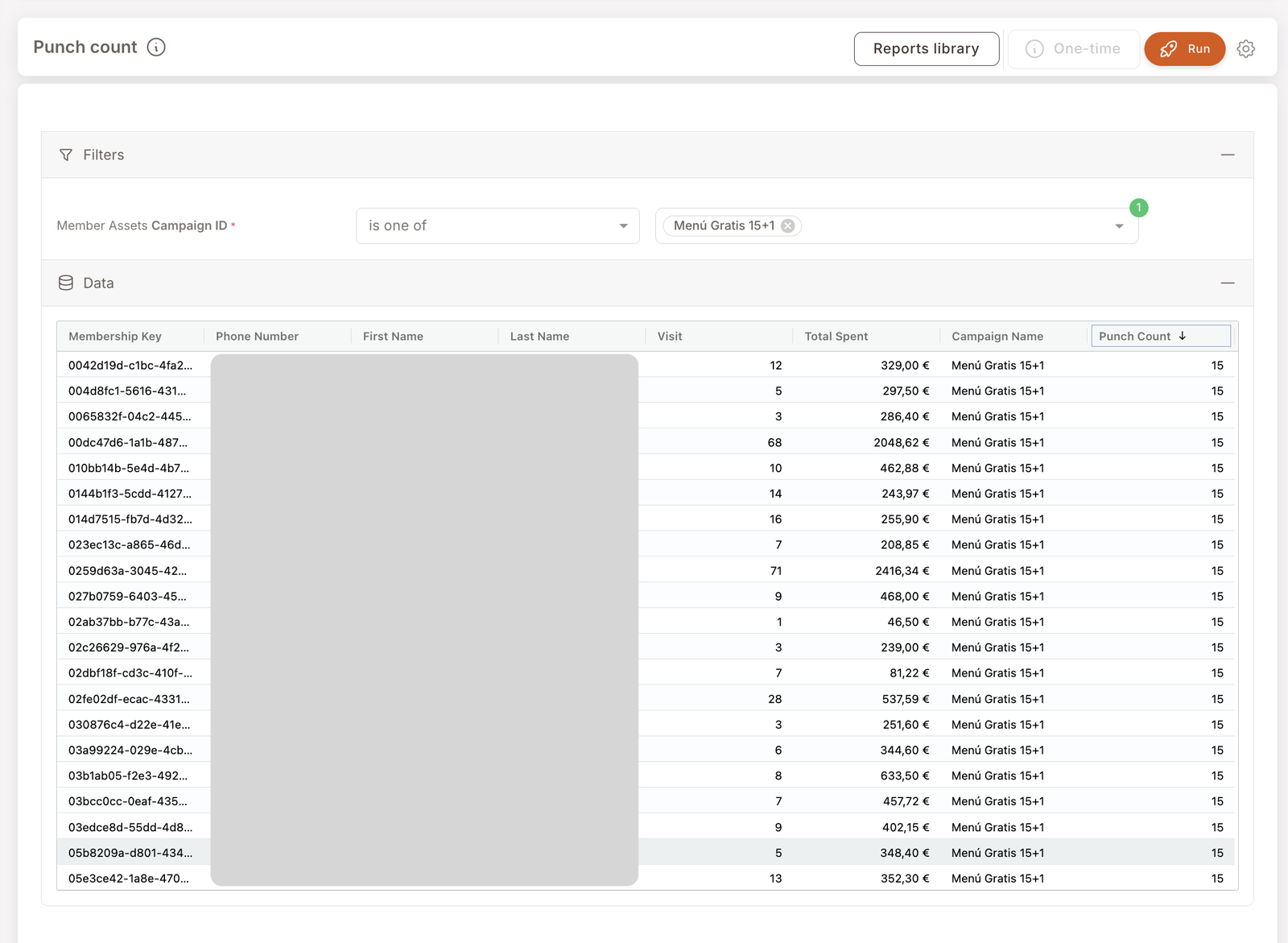
For a chosen punch card, list every member who's holding it along with their current punch count, total spend, and visit count. The "who's farthest along on the card?" view — useful for finding members who are about to complete (and could be nudged to finish) and members who've finished (and might want a thank-you).
note
Screenshots on this page show one merchant's setup (Spanish labels). Your Hub displays the labels and content you configure for your own program.
This is the per-member punch-card view, complementing the per-branch Punch report. Sorted by punch count descending, the top of the result is your most engaged members on this card — your evangelists.
What you'll see
Required filters:
- Member Assets Campaign ID — is one of [punch card name(s)]. Pick the card you want to inspect.
Data columns (one row per member):
- Membership Key — unique member identifier.
- Phone Number / First Name / Last Name — member identification fields. These are PII (Personally Identifiable Information — data that can identify a specific person). Treat these columns under your data-protection policy.
- Visit — total visits this member has made in the lifetime of the program (no period scope today, though a time filter is on the roadmap).
- Total Spent — lifetime spend by this member.
- Punch Count — how many punches this member currently has on the card. Sorted descending by default.
When to reach for this report
4 common use cases
- Find members about to complete a card. Sort by Punch Count (already default), find rows close to the card's Total punches threshold. These are your "one more visit and they're done" candidates — a reminder push can pull them across the line.
- Find members who've already completed. If your card is 15+1, members showing Punch Count of 15 have just completed. Worth a thank-you SMS or asset grant.
- Identify your power users on this card. The top of the list is your most-engaged segment for this asset. Tag them, study them, replicate the conditions.
- Member-service follow-up. A member calls saying their card seems wrong — find their row and verify the punch count matches what they expect.
What to do with the result
Follow-on actions
- One-time push to "almost-there" members. With a member-identified result, the One-time button activates — push a Future Campaign with a "you're one visit away" SMS. Same handoff as Member purchases and Filter members.
- Tag your evangelists. Members consistently topping the list across multiple punch cards are your loyalty heroes. Tag them (
super-user,champion) for priority comms. - Reward completion via Manual actions. For a single-member thank-you, use the Actions modal on the Member profile — Send asset for a bonus Gift, or Send SMS for a quick congrats.
Related reports
- Punch — the branch-level view of the same activity.
- Member purchases — drill into transactions for a member who shows up here.
- Gift Performance Report — the asset-impact view for Gifts; sister to Punch for the Gift surface.